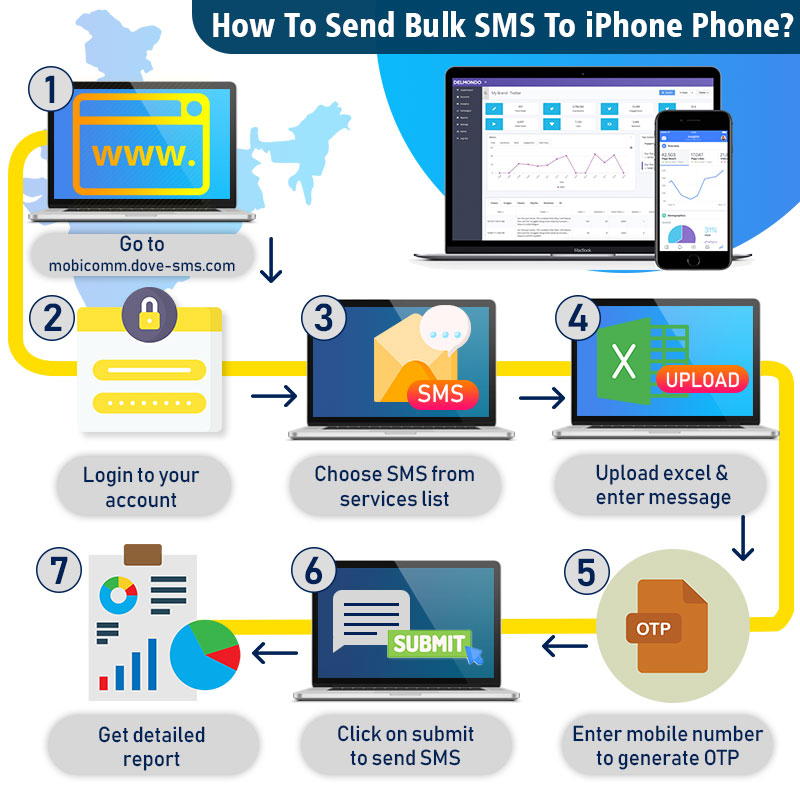
Bulk SMS can be sent from PC to iPhone with the help of a special bulk messaging application provided by your bulk SMS vendor. Here I am explaining to you with the help of Mobicomm bulk SMS messaging application:-
Step 1
Go to mobicomm.dove-sms.com (Bulk Messaging Application)
Step 2
Login to your account.
Step 3
Now select SMS service from the service list.
Step 4
Now upload the excel sheet and enter your message.
Step 5
Enter your mobile number. You will receive an OTP from our panel.
Step 6
Now click on the submit button to send SMS to your audience.
Step 7
You will be receiving a report about the bulk SMS service.
Tag:- Bulk SMS, Bulk SMS Technology

 Dove Soft- Bulk SMS